Overview
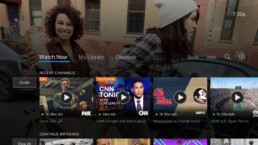
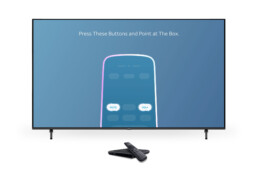
We designed and launched a seamless onboarding experience for the AT&T Now (DIRECTV) App on Android-based set-top boxes. The goal was to guide users from unboxing to watching TV quickly and confidently while supporting a newly engineered remote control and diverse user needs. The solution balanced design, engineering, and motion to deliver an experience that was scalable, interactive, and intuitive.
The Challenge
New and existing DIRECTV users faced friction during device setup. Key challenges included:
-
Technical barriers in connecting to Wi-Fi, signing in, and pairing remotes
-
Limited onboarding guidance, particularly for users unfamiliar with streaming devices
-
A new remote that introduced unfamiliar UI behavior
-
Variable performance across devices requiring a flexible, scalable approach
-
Long load times during setup that could frustrate users and increase support calls
Research & Insights
We interviewed 50 users across three groups: current customers, new subscribers, and first-time users. Our insights shaped the onboarding flow and motion experience:
-
Users preferred a smooth, uninterrupted setup from start to finish
-
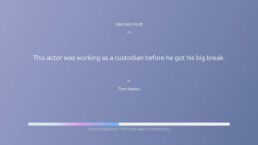
When waiting for connections or updates, most users wanted something to do rather than just watch a progress bar. Gamified trivia was consistently favored over passive loaders
-
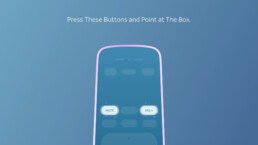
During usability testing, users quickly understood the onboarding flow and remote interaction, but visual arrow indicators and better button feedback improved confidence
-
These learnings drove refinements in remote design, button states, and overall instructional clarity
The Approach
1. Remote-First Design
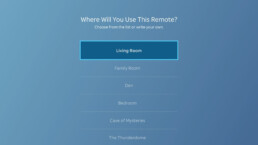
We designed the interface to work seamlessly with a custom remote. The UI emphasized actionable buttons and directional focus, with visual cues and simplified layout to reduce confusion.
2. Guided Setup Flow
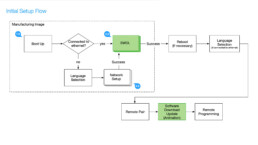
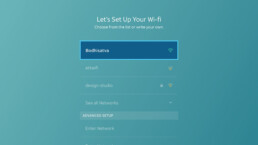
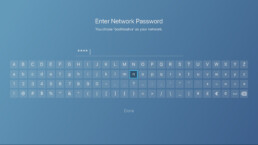
The experience was broken into simple, clearly labeled steps:
-
Wi-Fi connection
-
Account sign-in
-
Personalization
-
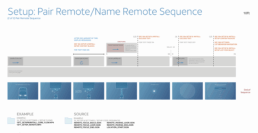
Remote pairing
-
Feature highlights and walkthroughs
3. Interactive Load States
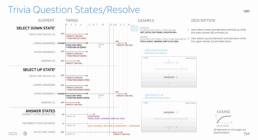
To improve perceived performance, we introduced dynamic trivia content during loading screens. This light interaction aligned with the DIRECTV brand and kept users engaged.
4. Scalable Motion with Lottie
To ensure consistency and efficiency, the onboarding experience was built using Lottie for all animations. This decision:
-
Saved over 40% in development hours
-
Reduced dependency on engineering for asset updates
-
Allowed animations to scale across multiple Android-based devices
5. Motion Interaction Specs and Handoff
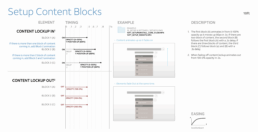
For dynamic screens like trivia and Wi-Fi setup, we delivered detailed motion interaction specs to developers. These included:
-
Event triggers and transitions
-
Loading logic and fallback behavior
-
Visual behavior tied to user progress
-
Modular design for reuse and cross-device compatibility
Our team worked directly with engineering to ensure the visuals, interaction logic, and animations were fully integrated and functioning as intended.
Outcome
-
40% reduction in development time due to reusable, lightweight motion components
-
Significant improvements in setup completion and comprehension during usability testing
-
Fewer support calls related to remote setup and onboarding confusion
-
A modular onboarding system now used across AT&T’s Android TV product family
-
Strong positive feedback from users who valued both clarity and interactivity during setup